
Support
Need help? We're here for you!
Frequently Asked Questions
How do I add chords to my lyrics? +
Use brackets around chord names: [Am], [G7], [Cmaj7]. Place them directly before the syllable where the chord should be played. Example:
[Am]Hello [G]worldHow does transposition work? +
Open a song and use the +/- buttons in the control panel. Each tap shifts all chords by one semitone. The original key is preserved so you can always go back.
What is "Style Analysis"? +
Style Analysis lets you find estimated chord progressions to practice accompaniment in an artist's style. It displays a short lyrics preview (first verse) for song identification, with the rest masked by placeholder characters (░) to respect copyright. 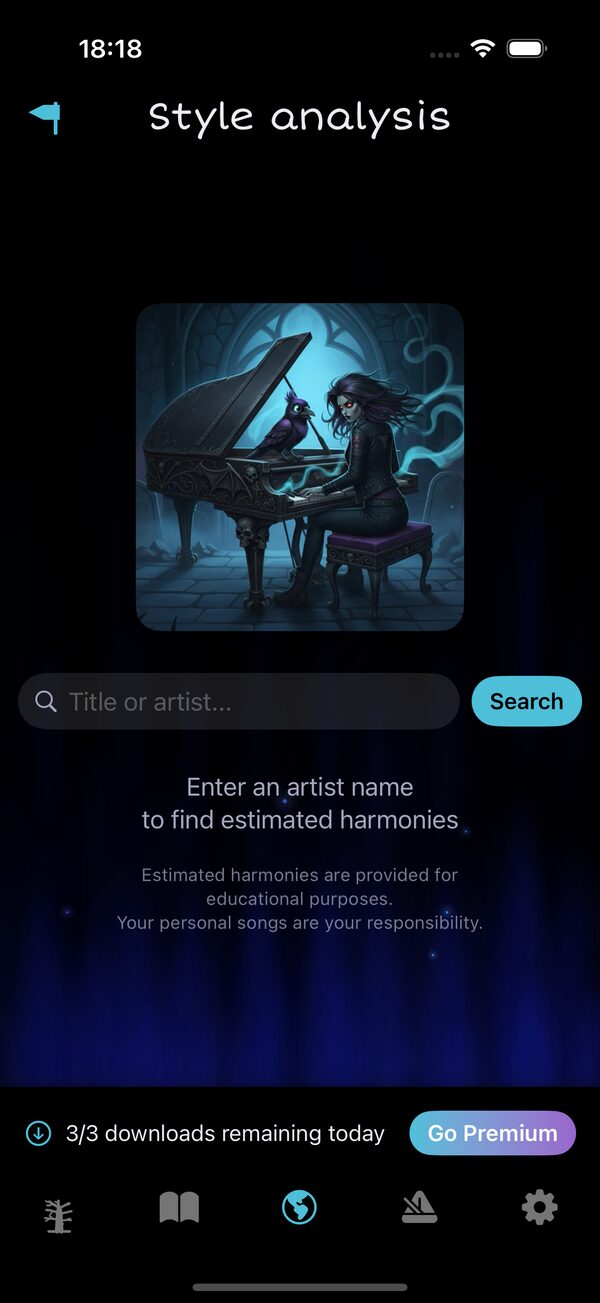 The Style Analysis screen with daily download counter.
The Style Analysis screen with daily download counter.Does the app contain copyrighted lyrics? +
No. GrooveGrave does not distribute the full lyrics of copyrighted works: only a short identification extract (first verse) is displayed, with the rest masked by placeholder characters (░). Personal songs are created and managed by you.
What's the difference between Free and Premium? +
Almost everything is free: the Composer (with diatonic, advanced and By style suggestions), the Chord Dictionary with By style mode covering 3 styles (Classical, Jazz, Blues), all chord diagrams, all scales, all 12 accompaniment & arpeggio patterns, audio settings and Style Analysis.
The Free tier is only limited to:
The Free tier is only limited to:
- 3 Style Analysis downloads per day
- 3 songs maximum in your library
What is the Composer? +
The Composer is a free tool to build chord progressions, hear them played on the piano and save them to your songbook. Pick a root note + a chord quality, tap Add, repeat, then hit Play. 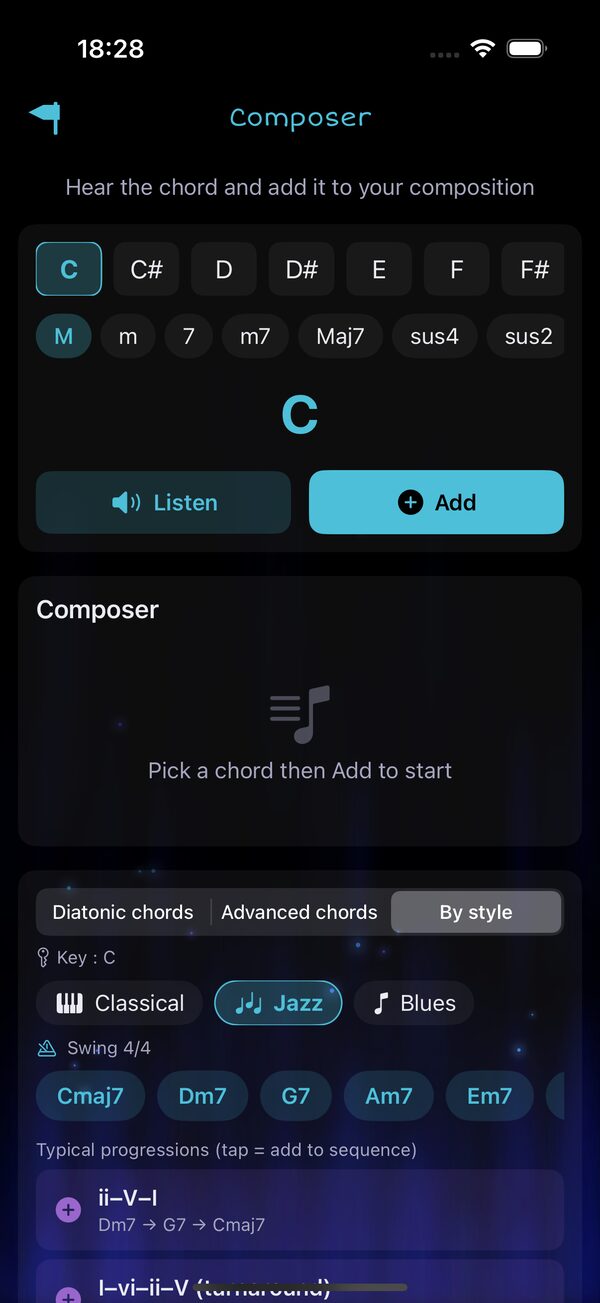 The Composer in By style mode — Jazz — with recommended chords and typical progressions. It suggests chords in three modes: Diatonic (the 6 in-key chords), Advanced (secondary dominants, borrowed chords) and By style (chords + progressions for Classical, Jazz and Blues). Tap any suggestion to add it to your sequence.
The Composer in By style mode — Jazz — with recommended chords and typical progressions. It suggests chords in three modes: Diatonic (the 6 in-key chords), Advanced (secondary dominants, borrowed chords) and By style (chords + progressions for Classical, Jazz and Blues). Tap any suggestion to add it to your sequence.How do I find chords in a specific musical style? +
Open Chord Dictionary from the Home grid, then switch the top segment to By style. Pick Classical, Jazz or Blues — the dictionary highlights the priority chords for that style and lists the typical progressions you should know. 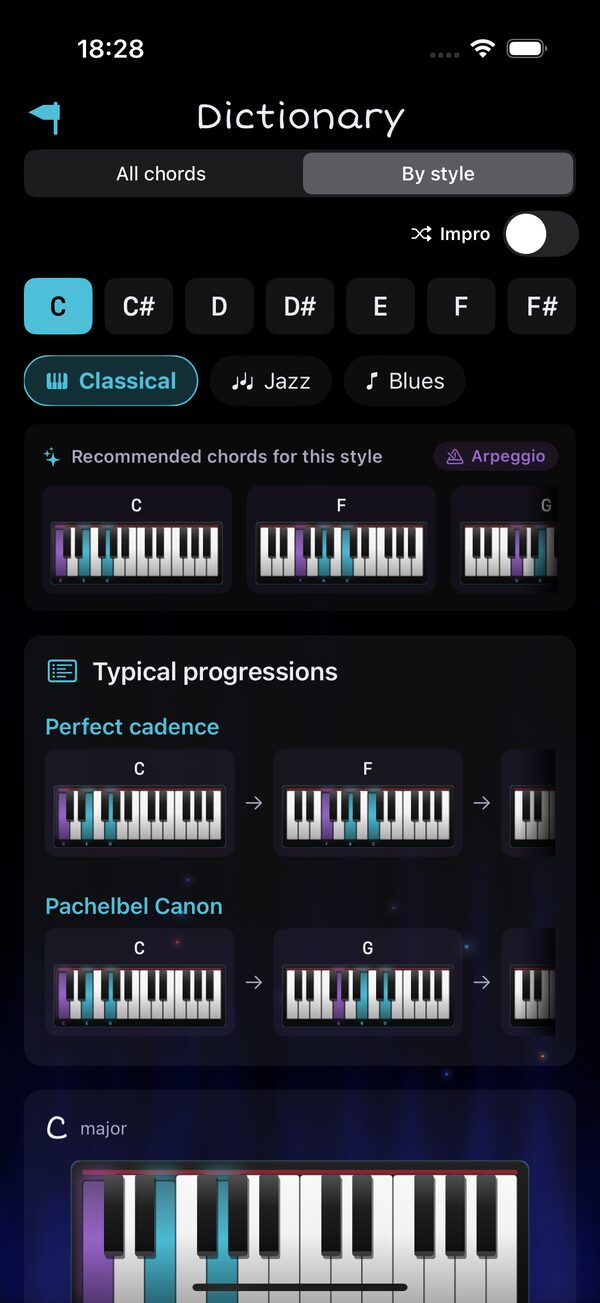 Chord Dictionary — By style mode, Jazz family.
Chord Dictionary — By style mode, Jazz family.How do I restore my Premium purchase? +
Open the Premium screen (Go Premium) and tap "Restore my purchases". Make sure you're signed in with the same Apple ID you used for the original purchase.
Can I get a refund? +
Refund requests must be submitted through Apple at reportaproblem.apple.com. We don't have access to payment information.
Still need help?
For any questions, suggestions or issues:
groovegrave@shader.beWe typically respond within 24-48 hours.