
Quick Start Guide
Master GrooveGrave in 5 minutes!
What you'll learn
1 The Home Page
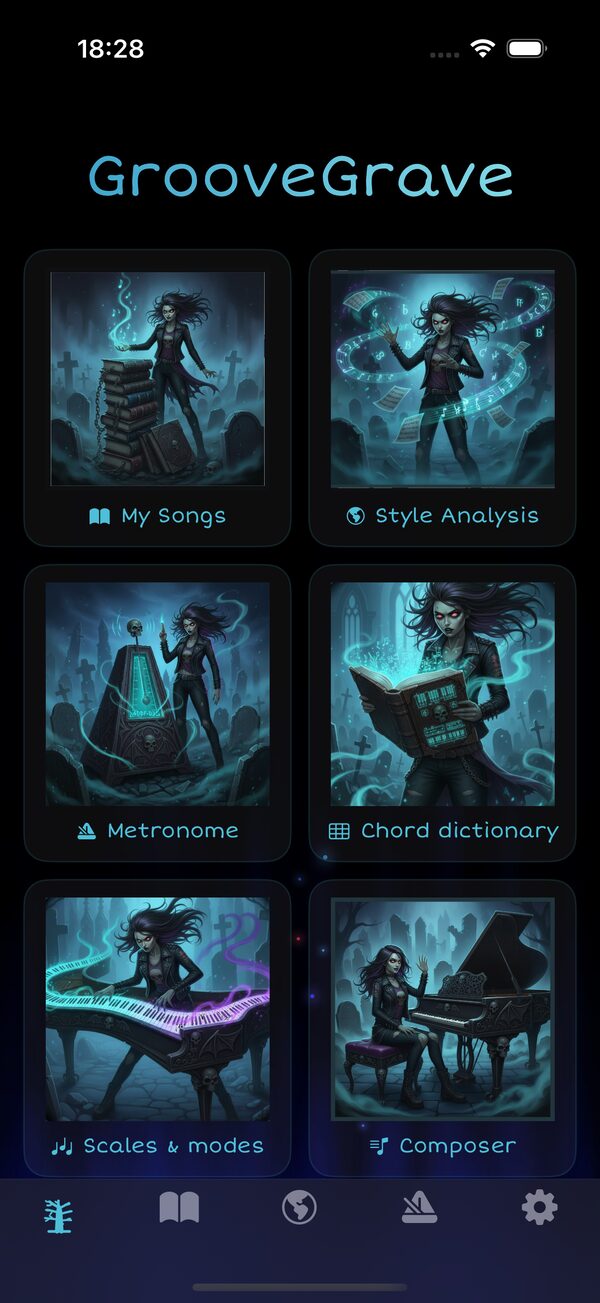
When you launch GrooveGrave, the Home page greets you with a grid of quick-access cards, plus a tab bar at the bottom (Home, Books, Style Analysis, Metronome, Settings):
- My Songs — Open your song library (Books)
- Style Analysis — Find estimated harmony grids by artist
- Chord Dictionary — every common chord on the keyboard, with a By style mode
- Scales & modes — Pentatonic, modes, blues, exotic scales on a keyboard
- Composer — Build chord progressions and save them to your songbook
- Metronome — Opens the metronome tab
2 Interactive Tutorial
New to GrooveGrave? The app includes a built-in illustrated tutorial presented as a swipeable carousel. It walks you through the key features step by step:
- How to create and edit songs with chord notation
- How to use Style Analysis to find harmony grids
- How to read chord diagrams and explore voicings
- How to practice with rhythm and arpeggio patterns
- How to organize your songs in Books
3 Create Your First Song
Open the editor
- Launch the app and tap Enter on the welcome screen
- Open the Books tab and tap My Book to unfold it
- Tap + New song under the book
Fill in the details
- Title: "Midnight Crows" (required)
- Artist: "The Ravens" (optional)
- Key: Leave "C" or choose from the dropdown
Add content with chords
Use brackets around chord names:
[F]Candles burning [E]low
Save
Tap the save icon (↓) in the top right. Your song now appears in the book!
4 Organize Songs in Books
As your song library grows, Books help you keep things organized. Books are like notebooks or binders where you group songs by theme, setlist, or practice session.
Create a book
- In the Books tab, tap + in the top right
- Pick a cover for your new book
- Give it a name (e.g., "Campfire Songs", "Jazz Standards")
Add songs to a book
- Unfold a book and tap + New song: the song is created in that book
- Each song belongs to one book
5 View Chord Diagrams
With a song open:
- Tap any chord displayed in the lyrics (e.g.,
Em7) - A modal opens showing:
- The keyboard diagram with the keys to press highlighted (cyan)
- The note names for each key in the chord
- Tap Listen to hear the chord
- Scroll through voicings if multiple inversions exist
• The keyboard shows at least two octaves
• Highlighted keys = the notes to play (root in purple, others in cyan)
• Note names appear under the played keys
6 Transpose a Song
- Open a song
- Find the Transpose −/+ buttons at the top of the song sheet
- Use the + / − buttons to shift all chords by semitones
Example: Press + twice → Em7 becomes F#m7
• Song too high → transpose down (−)
• Song too low → transpose up (+)
• Simplify difficult chords → find an easier key
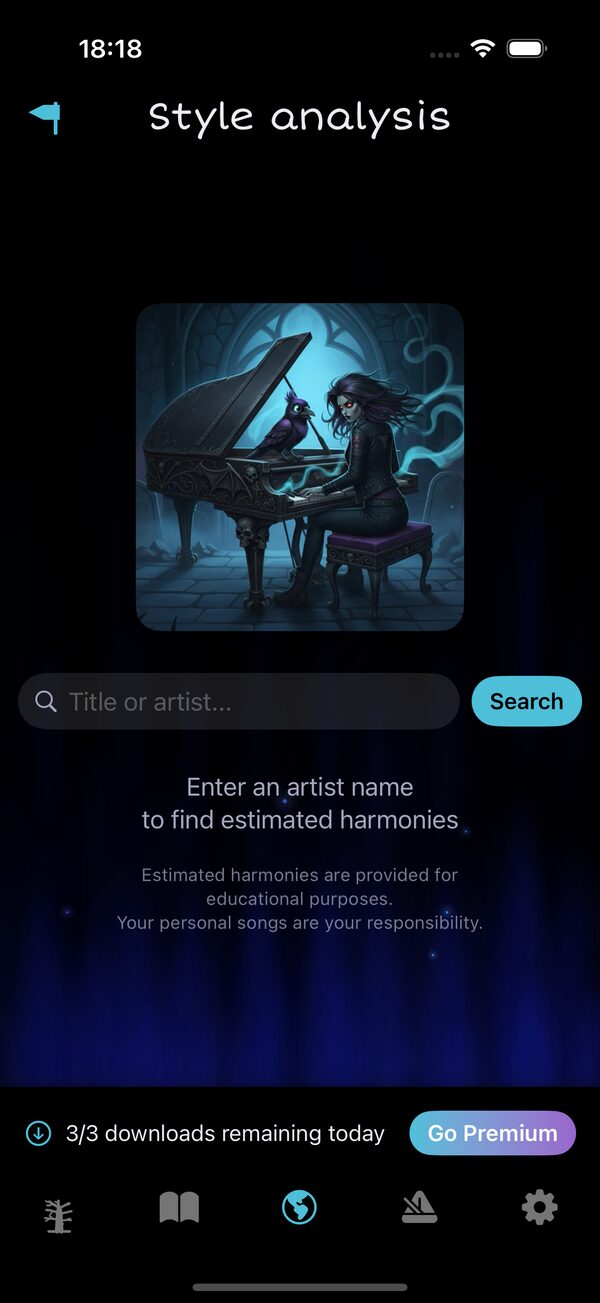
7 Use Style Analysis
- Open the Style Analysis tab (globe icon 🌐)
- Enter an artist name
- Browse the results — these are estimated chord progressions
- Tap the download button of a result
- The harmony grid is saved to your book
Compact / Extended view
In the song sheet, you can toggle between two display modes (for every song):
- Compact — Shows only the chord names in a dense grid layout, ideal for quick reference while playing
- Extended — Shows the full harmony grid with placeholder text (░) and chord positions, giving you a better sense of the song structure
Tap the Compact / Extended button at the top of the song sheet to switch.
8 Build Progressions with the Composer
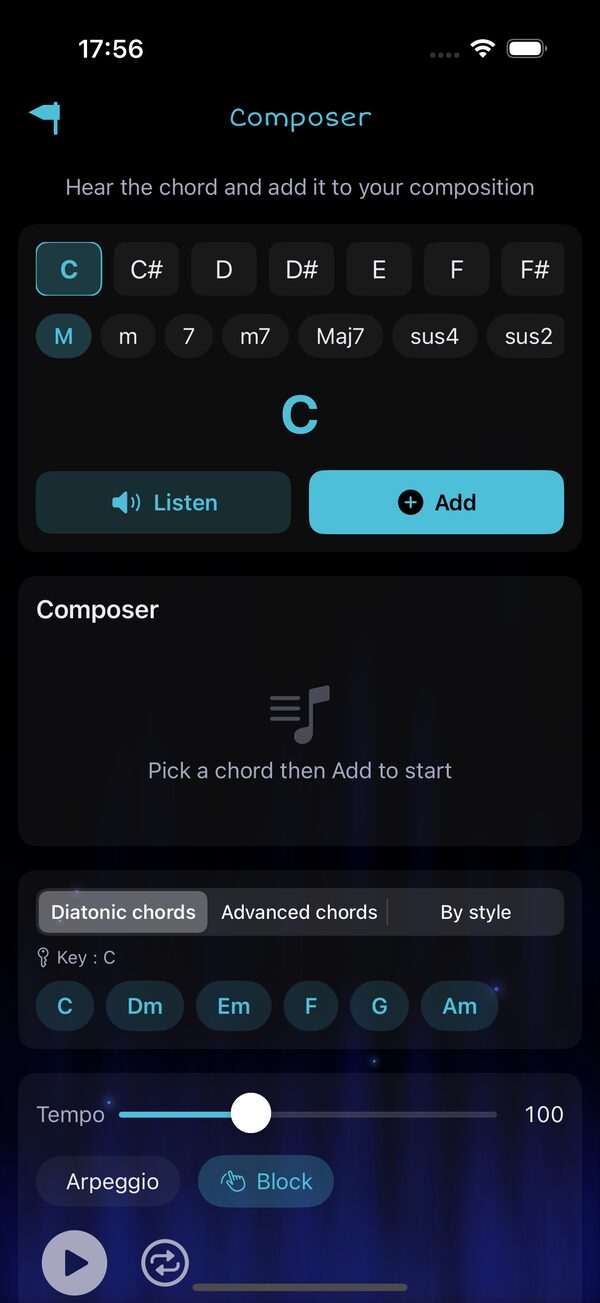
The Composer is the tool to build chord sequences, hear them played on the piano and save them to your songbook. Open it from the Home grid.
Pick a chord
- Choose a root note (C, C#, D, … B) from the top row
- Choose a quality (M, m, 7, m7, Maj7, sus4, sus2, add9, 6, 9, dim, aug, 5)
- Hit Listen to hear it, or Add to drop it in your sequence
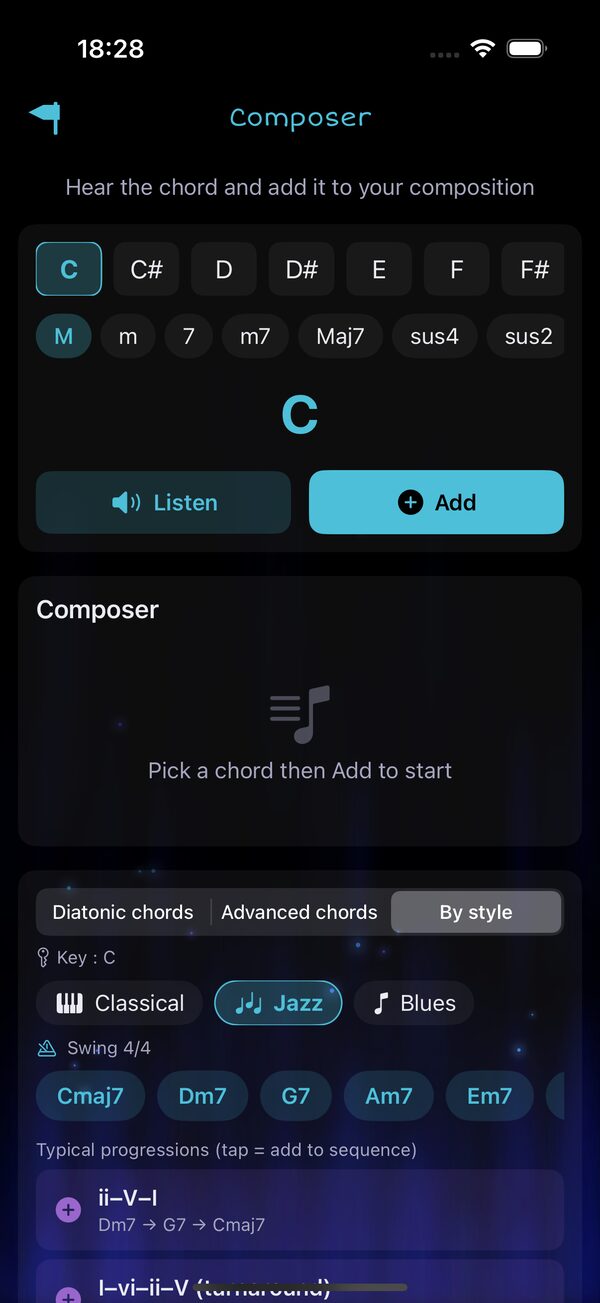
Use the three suggestion modes
Below the sequence, a segmented picker lets you pick the suggestion style:
- Diatonic chords — the 6 in-key chords (I, ii, iii, IV, V, vi)
- Advanced chords — secondary dominants (V/V, V/vi), borrowed iv, vii°
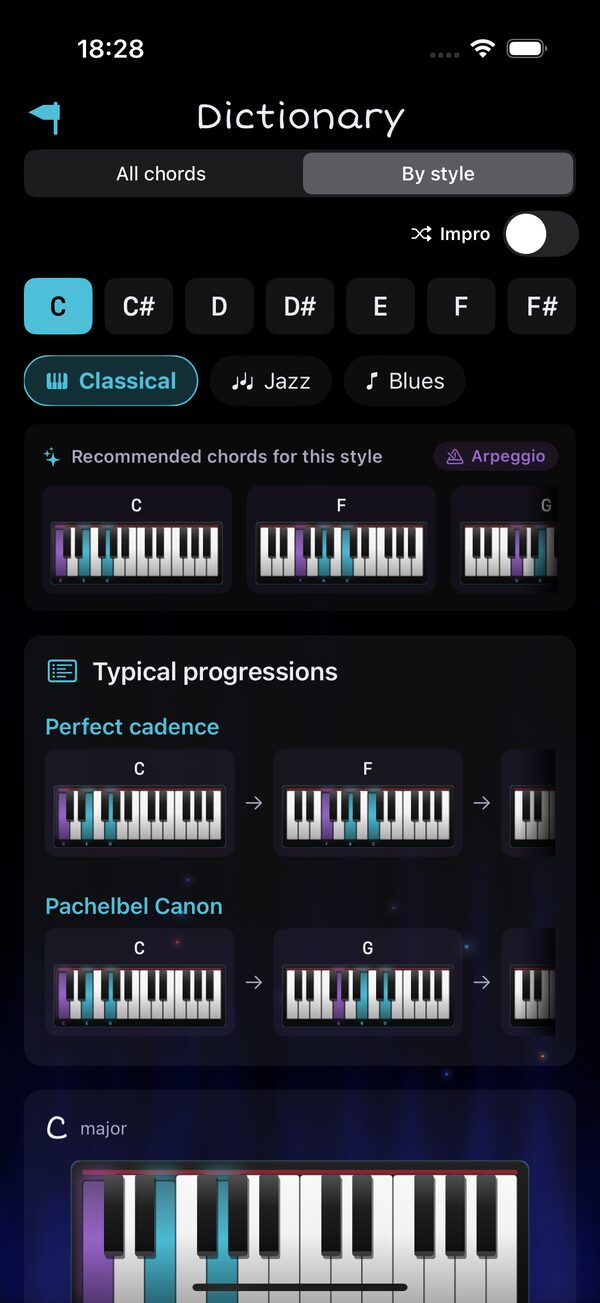
- By style — chords + typical progressions for 3 styles (Classical, Jazz, Blues)
9 Browse Chords by Style
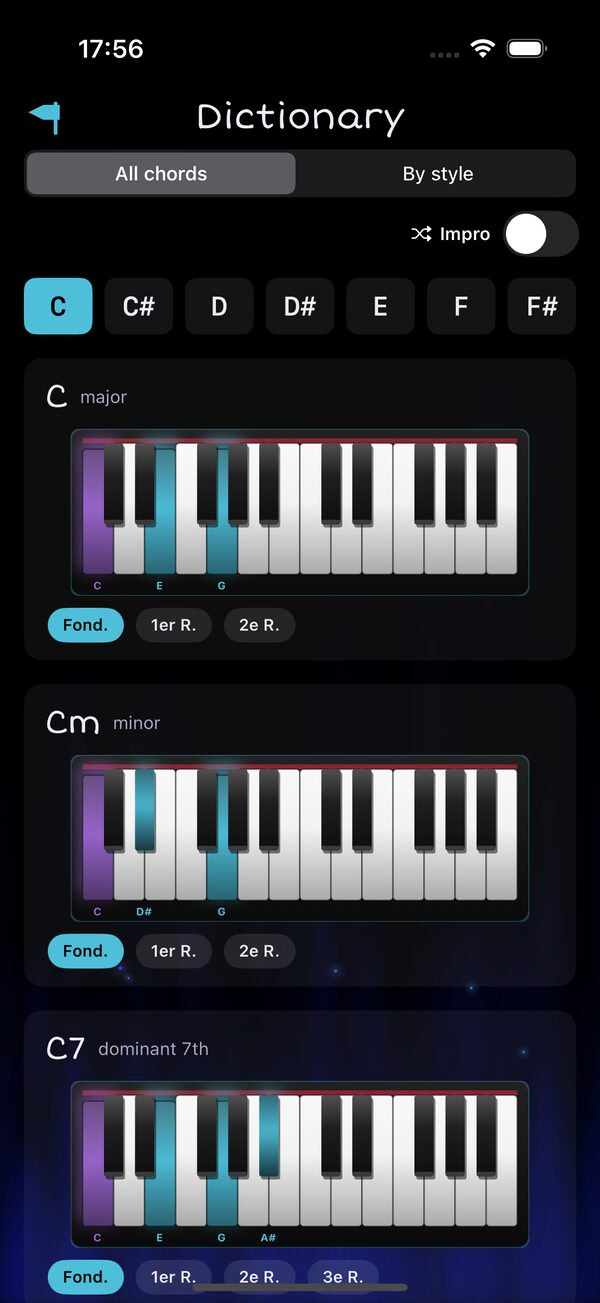
Open Chord Dictionary from the Home grid. The top segment switches between two browsing modes:
- All chords — every quality, every voicing, with an optional Impro mode that plays the chord, then improvises its notes in random order an octave higher
- By style — only the chords you'll actually use for the genre you pick, plus typical progressions
10 Explore Scales & Modes
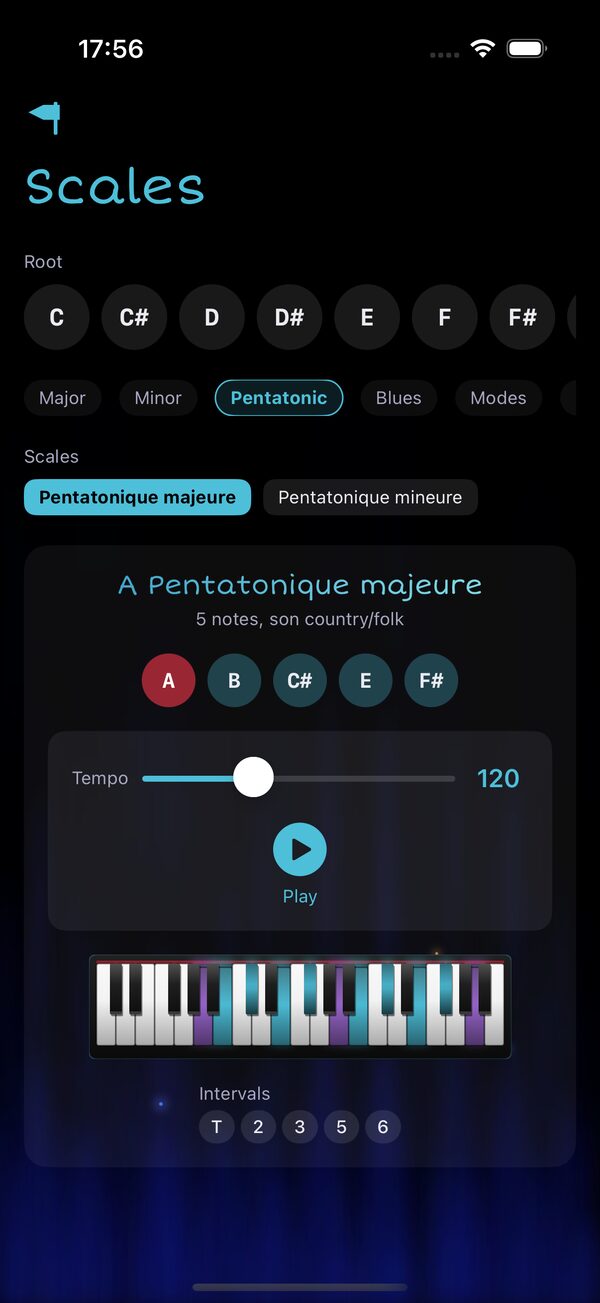
Open Scales & modes from the Home grid to view any scale on the piano keyboard.
- Pick a root (C through B)
- Pick a category: Major, Minor, Pentatonic, Blues, Modes, Exotic
- Pick a scale variant within the category
- Adjust the tempo
- Hit Play to hear the scale
🎉 You're Ready!
You now know how to:
- ✅ Navigate from the Home page
- ✅ Follow the interactive Tutorial
- ✅ Create and organize songs in Books
- ✅ View chord diagrams and transpose to any key
- ✅ Find chord progressions with Style Analysis
- ✅ Build progressions in the Composer (Diatonic, Advanced & By style)
- ✅ Browse the Chord Dictionary by musical style
- ✅ Explore scales and modes on the keyboard
🎹 Rock on, even after midnight! 🔥